Your phone camera is your ad budget's best friend. The more real pictures of you we've got, the better the ads get. Snap photos on the job, even corny ones, drop them in the shared Drive and let a quick text nudge keep them coming.
 0:37Watch the videoFeed Your Ads Real Photos of You
We made a short video on this tip. This article explains why ads need real photos, what to shoot and how to make it a habit.
Why ads go stale
Ads show the same pictures to the same people over and over. After a while, those people stop noticing. Clicks drop and costs creep up. The fix is fresh material.
If your marketer runs out of new photos, the ads recycle the same few. They go stale, and people scroll past. You can't fix that with a bigger budget. You fix it with more pictures.
Why real beats polished
A small business owner is the most practical, get-it-done person. Owners can smell through a stock photo or a slick pitch. Your customers feel the same way. They want to see who's coming to their house, who built that deck and who's behind the business.
Real photos of you and your crew build trust faster than anything you can buy. People like seeing the real you.
What to shoot
You don't need to be a photographer. Aim for a mix.
- You on the job. Holding a tool, a plan or the paint can.
- Your crew. Working, laughing, talking with a customer.
- Before and after. Same angle, same spot, a few days apart.
- The process. The messy middle shows you do real work.
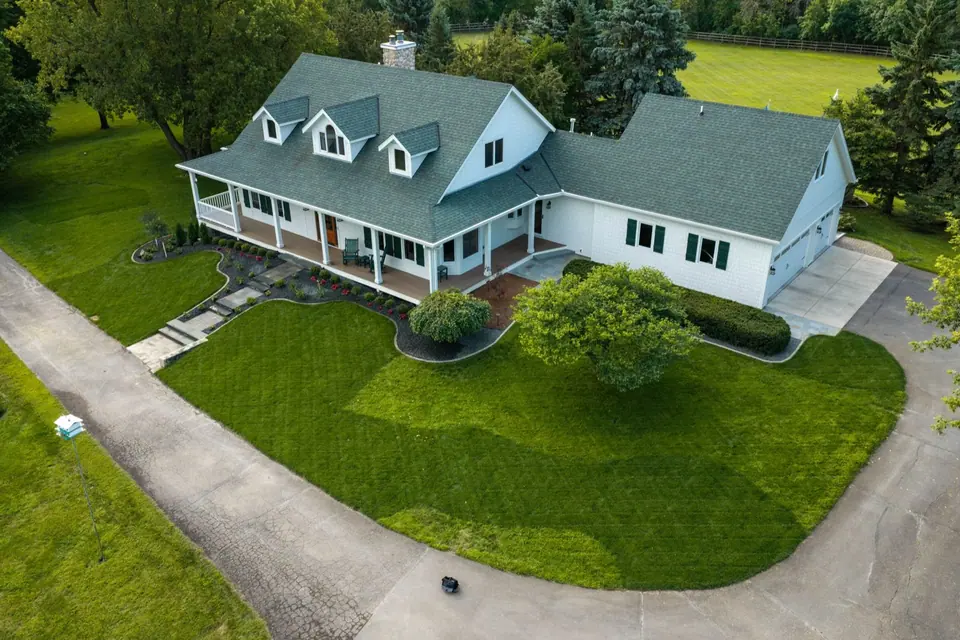
- Finished work. A wide shot and a few close details.
- Your truck and gear. Branded and parked at a job.
Even corny shots work. A smile and a thumbs up next to a finished project can become a great ad.
Quick tips for better phone photos
- Clean the lens.
- Shoot in daylight when you can.
- Hold the phone steady and take a few shots of each scene.
- Turn the phone sideways for some, because ads use different shapes.
- Keep clutter out of the frame, or shoot around it.
- Ask the customer before you show their home or face.
Where to drop the photos
Pick one shared place. A shared Drive folder works well. Name it clearly, and give your marketer access.
- Take the photo.
- Upload it right then, or at the end of the day.
- Add a short note, like job, date and what's in the photo.
The easier it is, the more you'll do it.
Let a nudge do the remembering
Busy owners forget. A scheduled text from your marketing team, say a Sunday night or Monday morning nudge, helps. Something simple like send me ten photos from this week. Make it a rhythm, not a chore.
How to use the photos
Marketers use your photos in ads, on your site, on social and in videos. The more variety they have, the more they can test. A fresh batch each week gives ads new life, and you learn which pictures people respond to.
A worked example
This one is made up. A painter hates photos and sends a handful a month. His ads look the same week after week. His marketer sets a Sunday night text asking for ten photos. He starts snapping a few at each job, including a goofy shot holding a paint can, and drops them into a shared folder. A few weeks later, the marketer has fresh ads, and the goofy photo is one of the best performers. The painter didn't spend more on ads. He fed them.
A weekly photo routine for you and your crew
Make it part of the job, not an extra task.
- At the start of a job, take a before photo and a shot of the crew.
- During the work, snap a few progress photos.
- At the end, take wide and detail shots of the finished work.
- Before you leave, upload them to the shared folder.
- Friday afternoon, check the folder and add anything you missed.
If your crew helps, ask each lead to send at least a few photos per job. People tend to do what's asked of them regularly.
Privacy and permission
Real photos are great, but be thoughtful. Ask customers before you show their home, their face or their address. Avoid showing house numbers, license plates and personal items. If someone says no, respect it and take shots that focus on the work and your team. Trust grows when people see you treat their space with care.
The mistake to avoid
The mistake is waiting for a perfect shot. Perfect photos take time you don't have. Good-enough, real photos taken often beat perfect ones taken once a year.
Your Monday-morning list
- Create or find your shared photo folder.
- Take ten photos at your next job.
- Upload them before you leave.
- Ask your marketer for a weekly nudge.
- Tell your crew to snap photos too.
Want your ads to work harder?
Book the $99 audit call, and I'll look at your setup. I'll show you what I'd change first. You leave with your top three fixes. Book here: https://www.feedbackwrench.com/book
Questions people ask
Why do ads need fresh photos?
When ads run out of fresh pictures of you, they go stale and people scroll past. The more real pictures your marketer has, the better the ads get.
What kind of photos should I take?
Real ones from the job. Even corny ones, like you holding the paint can, work. People like seeing the real you.
Where do I put the photos?
Drop them in a shared Drive folder your marketer can see. Keep it simple so you actually use it.
How do I remember to send photos?
Use a nudge, like a scheduled text from your marketing team. A quick reminder keeps the photos coming.

Rob built Feedbackwrench and Nuance Financial Tax & Accounting. Since 2015, our team has helped transform 550+ small businesses with marketing, strategy and systems.